Image

ArtLens has been helping make art meaningful and accessible for over a decade. From technology to accessible exhibition design, learn how we created the awe-inspiring experiences for anyone to engage with art through an integrated ecosystem of physical, digital, mobile, and multisensory innovations.
As the Cleveland Museum of Art neared completion of its transformative building renovation in 2010, the museum set out to create something new: a gallery intertwining artworks with innovation and technology, creating experiences to meet visitors where they are, and offering welcoming ways into the museum. ArtLens Reimagined proposes a solution for how we can design experiences with value extending beyond the experience itself, giving all audiences new tools, confidence, curiosity, and agency that change how they engage with the museum as a whole.
While the gallery has evolved, the vision has always remained the same: making art matter to all. The space was debuted as Gallery One on December 12, 2012. In 2016, the museum iterated this concept further, redesigning experiences to create barrier-free, gesture-based interactives. After more than a decade of evaluation and experimentation with innovative technology, ArtLens is completely reimagined. Throughout the process, the museum's internal core team led by the Chief Digital Information Officer served as the product owner and led the project from inception through implementation, monitoring, iteration, and ongoing support.
This newest iteration of ArtLens began with a series of internal and external brainstorming workshops designed to identify the themes, design principles, and interaction models for the next iteration.
The project built on the evergreen goals of ArtLens: create new entry points into the collection, make the museum feel more approachable, and encourage visitors to look more closely and feel comfortable engaging with art. ArtLens Reimagined added goals around more immersive and inclusive experiences and telling the broader life stories of artworks.
The museum hosted a 2-day charette facilitated by Dome Collective with attendees from across the continent, including multiple partners who had worked with the museum previously, and additional museum professionals, experience designers, technologists, and content experts. These guests worked alongside a cross-departmental team of museum staff to create a conceptual direction for ArtLens by focusing on visitor experience goals, tactics for achieving them, and potential risks. To ensure artwork and the museum’s collection remained at the forefront of the ideation process, all activities were structured around case studies featuring specific artworks and the themes decided on by a cross-departmental team of curators, conservators, interpreters, and other stakeholders. They identified major themes that reoccur in a museum setting, including inspiration and creation, historical context, conservation, and authentication.
After the charette, brainstorming with partners continued. Preliminary interactive concepts were proposed, and these initial concepts formed the basis for the first phase of artwork and content development. Additional rounds of concept revision and planning would refine the interactive concepts and the requirements for building them.
After being involved in the earlier ideation phases, Design I/O (responsible for the previous iteration’s ArtLens Studio) was selected as the lead interactive designer and developer for ArtLens Reimagined. Building off concepts previously proposed, Design I/O articulated a complete concept design, considering the visitor journey and the experiences that would shape it.
Instead of organizing around the technology, ArtLens is organized around five modes of engagement—Relate, Investigate, Create, Explore and Observe.The gallery brings together 21 experiences that invite visitors to encounter the collection through conversation, observation, movement, gesture, touch, sound, experimentation, and play. Inclusive design was embedded throughout the project to create multiple ways to perceive, understand, navigate, and participate in the experiences.
From the early proofs of concept to fully developed prototypes, the interactives were created considering multiple modes of participation, and a connection to the museum’s collection.
ArtLens is an art gallery first, requiring that every interactive features and connects with at least one artwork. The artworks selected for ArtLens are notable pieces in the collection, selected for both their relevancy to a specific interactive and their connection to one of the following concepts:
The incorporation of these themes and the associated experience goals varies by interactive. Certain interactives and areas focus more on details of an artwork that directly relate to the life story themes, while some interactives explore the ideas more broadly. Some interactives such as those in the Relate section surface a wide array of the collection, giving a sample of the collection’s breadth. Other interactives feature just one artwork or a smaller curation, like the experiences in the Investigate section. All the artworks on view in the gallery were carefully selected by the cross-departmental content stakeholders. Curators within that team were tasked with reviewing interactive concepts and approving or suggesting alternative artworks that might be a better fit. Throughout the museum’s extensive collection, the artwork on view represents as many cultures, disciplines, and time periods as possible.
Interactives went through multiple phases of review and revision. With a dispersed team working primarily remote, periodic in-person prototyping was essential.
Within the major alpha and beta interactive development stages, the CMA Digital and Exhibition design team, along with partners in AV integration and accessibility, met with the interactive designers to test prototypes together.
The prototypes ensured that the technology, software, and content successfully combined into a seamless interactive experience. Additionally, these prototypes gave opportunities to augment or change certain aspects of an interactive. The What Does Art Sound Like? interactive shows this potential for evolution. Earlier prototypes used gesture sensing where a user would point at a projection of an artwork. After feedback and more development, the interface became tangible, with a tactile representation of the painting being used to trigger the audio descriptions.


Every interactive in the gallery began as an idea and evolved through months of collaboration between the Cleveland Museum of Art's Digital Innovation team, exhibition designers, developers, accessibility specialists, audiovisual experts, and exhibit fabricators. Custom-built furniture, interactive stations, tactile maps, immersive walls, and technology-integrated environments were all specially designed for ArtLens, with many pieces created from the ground up to support one-of-a-kind experiences.
All experiences in ArtLens were designed and fabricated custom to fit the specific needs of the interactives and the intended visitor experience. The museum collaborated with one firm to develop shop drawings, fabricate, deliver, and install bespoke pieces of exhibit furniture including the interactive consoles and mobile device docking stations.
An additional firm created engineered walls to house the LED displays ranging from 6 feet to 24 feet wide. These served as major structures in the gallery and were constructed unlike a standard wall, instead with plywood and laminate finish.

Behind each finished exhibit was an extensive process of prototyping, engineering, testing, and refinement to ensure that technology, accessibility, durability, and aesthetics worked seamlessly together. From interactive consoles that house cameras, sensors, and displays to large-scale immersive walls supporting LED installations, every fabricated element was designed to blend into the gallery while making the experience feel intuitive and welcoming. The goal was not just to build exhibit furniture, but to create environments where technology fades into the background and visitors can focus on discovery, creativity, and meaningful connections with art.
AV (audio-visual) integration begins long before equipment is installed. From the earliest design discussions, we bring in our AV design-build partner, identify the intended visitor experience, and collaborate to develop technology solutions that support the goals of ArtLens. Our AV partner helps us evaluate both emerging and proven technologies, finding solutions that are sustainable, future-focused, and appropriate for the museum environment. Every project goes beyond the installation. An extended support system works outside of the gallery, playing an essential role in its success.

Throughout the design process, we support rapid prototyping, technology evaluations, and budget planning to realize creative concepts within the project's goals and budget. AV integrators closely coordinate with manufacturers of custom LED video walls, exhibit fabricators, software developers, content creators, and the museum's facilities and technology teams to ensure that systems designed and built around the world come together seamlessly during installation.
The AV integration process focuses on delivering systems that are reliable, maintainable, and undetectable to visitors, keeping the attention on the art itself. The team’s work does not stop once ArtLens launches. Thorough documentation, training, and long-term support ensure museum staff can confidently operate and maintain interactives throughout their entire lifecycle.
Occupying one corner of the gallery, a cave automatic virtual environment serves as an immersive theater. Three videos projected on the walls of the room examine the historical context and the archaeological scholarly exploration of Buddhist artworks from three distinct sites in Asia. The video content was created in collaboration with Harvard FAS CAMLab, an interdisciplinary research and design platform exploring how cultural systems are represented, experienced, and reimagined through digital media.

With guidance from interpreters, curators and digital staff, CAMLab developed digital content with a combination of drone footage, animated 3D models, archival photographs and animated maps. For all of the objects in the museum’s permanent collection, 3D models were created in house and shared with CAMLab for animation and incorporation into the video content. Additionally, the video scripts were reviewed by multiple content experts to ensure accessible language with engaging and historically accurate content.
The videos were scored by CAMLab, and the voiceover was recorded in their studio ensuring high quality audio uniquely tailored to each archaeological site. Sonya Rhie Mace, George P. Bickford Curator of Indian and Southeast Asian Art served as the voice talent for each video.

To accompany the immersive videos in Sacred Sites Revisited, CMA, Prime Access Consulting (PAC), and Case Western Reserve University (CWRU) Sears think[box] collaborated to create tactile reproductions of five artworks from the sites featured. The museum first produced detailed digital 3D models using photogrammetry, which were then shared with think[box] for 3D printing in UV-cured acrylic photopolymer. Developing the final models required multiple rounds of prototyping, color sampling, and finish testing, with the partners working together to refine the prints and achieve accurate, high-quality reproductions.

PAC reviewed prototypes and provided accessibility guidance to ensure the tactile experience was meaningful and effective for visitors who are blind or have low vision. To better evoke the feel of carved stone, the finished objects were sandblasted, giving them a more natural, stone-like texture.

The finished models were then installed just outside the video space using custom L-brackets with a slight tilt, creating a more comfortable wrist position for tactile exploration. By docking a device at the display, visitors can also access guided audio descriptions that complement each tactile model and enrich the experience.

The full-scale replica of the Neo-Assyrian protective winged spirit relief featured in Paint the Past was created in collaboration with Factum Foundation in Madrid, Spain. While the original relief is on view in Gallery 102A, the replica allows visitors to experience something that cannot be done with the original: exploring how the sculpture may have appeared nearly 2,700 years ago.
Using gesture-based technology, visitors can "paint" the relief with projected color by simply waving their hands. As color is projected onto the replica, it recreates the vibrant polychromy that once covered Assyrian stone reliefs, offering a new perspective on how these monumental sculptures were originally seen.
The project began at the CMA, where the Head of Collections Imaging photographed the original relief from approximately 3,000 viewpoints to create a highly detailed 3D photogrammetric model. A Factum Arte photogrammetry specialist provided consultation during the capture process, while a color recording specialist traveled to Cleveland to document the relief using panoramic composite photography, producing an exceptionally accurate color record.
Factum Foundation combined the museum's 3D geometry with the high-resolution color data to fabricate the full-scale facsimile. The relief was CNC-milled in three sections, molded, cast in fiberglass-reinforced acrylic resin, assembled around an internal metal structure, and carefully finished by hand to faithfully reproduce the appearance and surface of the original.
Paint the Past also brings together, through digital interpretation, two additional reliefs from the same Neo-Assyrian palace, now housed in other museum collections. Together, they help visitors imagine the broader architectural setting while demonstrating how technology can deepen our understanding of the ancient world.


Accessibility was foundational to this iteration of ArtLens Reimagined. From early concept development through prototyping and implementation, the team worked closely with Prime Access Consulting (PAC) to identify opportunities to create inclusive experiences for visitors with a wide range of sensory, mobility, and cognitive access needs. This iterative collaboration allowed PAC’s accessibility and inclusive design expertise to inform decisions throughout the process. By integrating the physical exhibition design, interactive design, and mobile app, the gallery offers consistent, multi-sensory experiences that reduce barriers and support independent exploration.
Across ArtLens Gallery, the team established a consistent tactile vocabulary to help visitors orient themselves and navigate independently, regardless of which interactive they encountered first. In collaboration with PAC, we developed consistent standards for tactile maps, braille labels, docking stations, and flooring treatments. Repeating these elements throughout the gallery helps visitors recognize familiar cues as they move between experiences.
At each entrance, visitors begin their experience with a tactile map that combines printed graphics with a tactile layer. Raised lines, textures, and braille communicate spatial relationships and key landmarks, helping visitors build a mental map of the gallery through touch. Visitors can also dock their phone and access guided tactile descriptions of the maps through the ArtLens app.

Working with PAC, we evaluated and finalized the gallery floor plan, including the placement of all seating, interactive areas, docking stations, tactile map kiosks, and artwork cases. To ensure consistency and accuracy across both maps, we homed in on details such as the orientation of the tactile map in relation to the exhibition space, changes in elevation, and distance from the entrances to maps.


Rather than adding separate braille signage, braille is integrated directly into each interactive label using specialized UV printing. Each panel identifies the interactive, provides instructions, and clearly delineates where the phone should be placed. Within the phone outline, a tactile QR code provides another way to access the ArtLens app.

To maintain consistency, the team standardized panel dimensions across standalone docking stations and interactive consoles. This required coordinating the graphic layouts with the space needed for contracted (Grade 2) braille. When text did not fit within the specified panel dimensions after translation, we revised the wording and repeated the translation process to ensure the final layouts accommodated both graphic text and braille.

The team also standardized the placement of these elements. Standalone docks sit to the left of their associated interactives, and each docking label places a tactile phone outline on the left and interactive information on the right. These repeated arrangements help visitors locate the dock and interpret instructions across the gallery.
Throughout the space, flooring helps distinguish interactive areas from circulation paths through changes in texture. We reviewed material samples to test how easily visitors could distinguish between surfaces by touch. Rubber laminate marks areas for interaction, while carpet and hard flooring identify circulation paths.
Along with this, we evaluated floor markers to help blind and low vision visitors detect docking stations with a cane. We compared different shapes and colors, considering tactile detectability, contrast with surrounding flooring, and the gallery’s overall look and feel. From this process, we selected rounded, high-contrast white floor markers which were strategically positioned parallel to and consistently distanced from the docks.

Audio feedback provides confirmation when an interactive recognizes a visitor’s actions. These sounds communicate successful interactions, system status, and prompts, helping visitors understand what the system is doing without relying exclusively on visual cues.
Wheelchair access informed the placement of artwork cases, circulation paths, furniture, and interactive stations. During the design process, the team used model measurements to verify that turning radii met or exceeded ADA requirements. For seated experiences, interactive consoles also meet or exceed applicable ADA knee-clearance requirements, allowing wheelchair users to approach and engage with the interactives.
Seating was distributed throughout the gallery to give visitors opportunities to rest. Using inclusive seating specifications provided by PAC, the team evaluated furniture options for arm and back support, ease of transferring between seats, suitability for different body types, and adjacent space for wheelchairs.
The final selection provides a modular arrangement that accommodates a range of visitor needs while supporting the gallery’s interactive experiences.
For seated interactions, we aimed to keep reach targets within 20 inches from a seated wheelchair position. This consideration informed the dimensions and heights of fabricated elements throughout the gallery, helping visitors engage with interactive content without stretching uncomfortably.
Contrast was a key consideration across the gallery, interactive displays, printed materials, and mobile app. For physical materials, the team aimed for a minimum Light Reflectance Value (LRV) difference of 70% between foreground and background. For digital content, the target was a contrast ratio of at least 4.5:1 for regular text and 3:1 for large text.
These guidelines informed the color combinations selected throughout the space and mobile app, supporting readability for all visitors.

What Does Art Sound Like? allows visitors to explore the sights, sounds, and stories of two paintings by touching 3D recreation of the artwork. As visitors move their hands across the tactile interface, corresponding visual descriptions are played aloud to facilitate understanding of the placement and relationship of visual elements within each painting.
The tactile interfaces for Flying Ponies (Euclid Beach Park) and The Brierwood Pipe were developed through an iterative collaboration with PAC and Form 3D Foundry. Starting with high-resolution images, the team transformed each 2D painting into a 3D relief, carefully refining its depth, shapes, and details to make important features easier to distinguish by touch.


Through prototyping, the team simplified visual clutter, emphasized key details, and refined the relationships between foreground and background while ensuring the tactile models aligned precisely with the digital images. The team also considered the physical experience of using the interface, refining the reliefs’ placement and ensuring visitors could comfortably reach every area.


The final reliefs were fabricated using resin-infused voxel printing. Each was then hollowed, primed, sanded, painted, and sealed with a durable clearcoat designed to withstand repeated touch.


Through prototyping with PAC, we identified this experience as one that was inherently multimodal, rather than relying entirely on visual feedback. Because this interactive uses speech-based input and audio output as the primary interaction, it creates opportunities for individuals who are blind or low vision to engage with the artwork through voice-driven engagement. The interactive also provides real-time textual representation of spoken language for both user speech input and the artwork’s spoken response.

The ArtLens app connects the gallery’s physical interactives with accessible content and instructions on visitors’ own devices.
Through the ArtLens app, visitors can access concise visual descriptions for every on-view artwork in the CMA collection. While docked at an interactive in ArtLens Gallery, the app surfaces visual descriptions of every artwork you interact with. These visual descriptions were created as part of the CMA's AI-Generated Visual Description initiative that aimed to make the collection accessible to all. To learn more about this initiative, visit our Making Art Accessible to All page.
The app also surfaces “Gallery Overviews”, which provide visual descriptions of the layout and features of each interactive zone within ArtLens Gallery. Developed by PAC and reviewed on-site by CMA staff, these descriptions detail zone locations, wall colors, flooring treatments, interactives and whether they are seated or standing experiences, nearby artworks, furniture, and other details relevant to blind and low vision visitors.
To prepare the overviews, PAC navigated the installed gallery and documented its physical features. Reviewing the descriptions in the space allowed the team to verify details against the completed environment and refine the information visitors would hear.
The app provides guided tactile descriptions that help blind and low vision visitors explore physical objects through touch. These step-by-step instructions guide visitors’ hands and fingers across tactile elements in ArtLens Gallery, such as the tactile maps and touch objects in Sacred Sites Revisited.
Developing the descriptions required more than reviewing photographs or digital models. The team gathered information about the original artworks and their tactile reproductions, including dimensions, materials, and mounting arrangements. PAC used these details and three-dimensional models to draft the descriptions. They then reviewed the installation to handle the objects in person, allowing them to refine the instructions to reflect the exact tactile experience.
When docked at an interactive, the app provides instructions in both text and audio. These explain where the interactive is located in relation to the phone dock, how to use it, and what visitors can expect from the experience.
PAC reviewed the instructions through multiple rounds of feedback, helping the team balance concise language with the essential details visitors need before beginning an activity.
When docked at an interactive in ArtLens gallery, all text within the ArtLens app can be converted to speech. Providing access to textual app content through speech allows visitors to engage with content in their preferred modality.
The app takes advantage of the built-in iOS (VoiceOver) and Android (TalkBack) capabilities to make the entire app navigable by screen reader, an assistive technology that converts on-screen content into spoken output. Visitors can navigate app content and controls using familiar gestures and their preferred device accessibility settings, including voice and speaking rate.
The team reviewed the reading order of every page type in detail. These reviews helped ensure that screen reader users encounter content and controls in a logical and meaningful sequence.

The app supports visitors’ existing device accessibility settings for zoom, display, and text size. This allows visitors to use familiar adjustments across the app rather than configure their preferences separately for ArtLens.
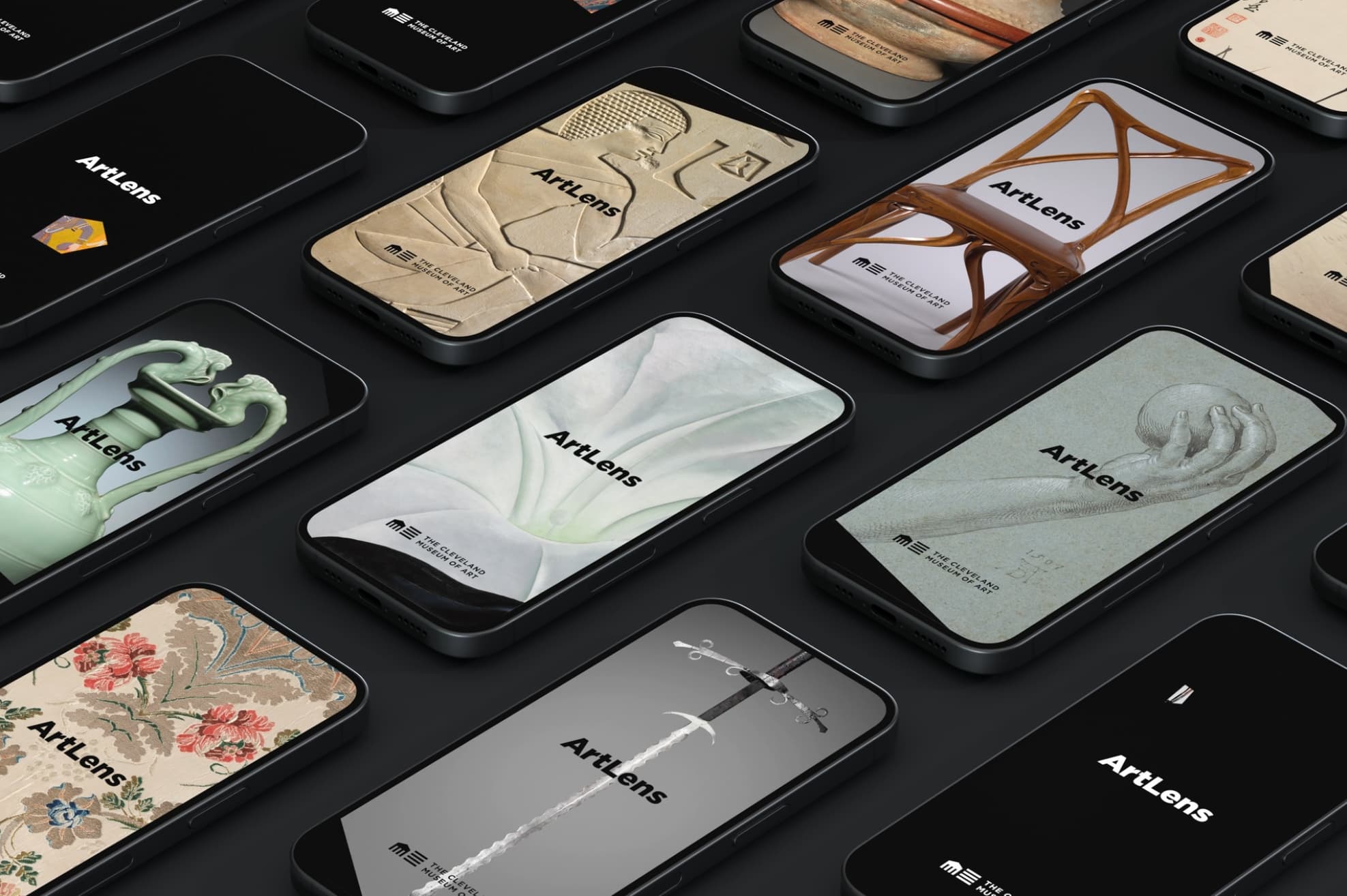
The newest iteration of the ArtLens app was developed in close collaboration with Dome Collective (UX/UI Concept, Design, and Branding), Linebreak (App Development), and Prime Access Consulting (Accessibility and Inclusive Design), to both seamlessly integrate with ArtLens Gallery and support and enhance the visitor experience across the entire museum. Building on the foundational pillars established with the app's inaugural launch in 2012, ArtLens has continued to evolve through ongoing innovation and improvements, expanding the possibilities of what a 21st-century museum app can be.
ArtLens is a React Native application built with the Expo framework and written in TypeScript. These three pieces are the core platform-level software the app is built on.
A few of the app’s features require functionality beyond what is available out of the box in React Native or Expo. In those cases, custom native modules were authored that bridge directly to the underlying iOS and Android platform frameworks.
The ArtLens app provides live wayfinding, using 240+ iBeacons throughout every gallery in the museum, helping to eliminate the need for paper maps. To ensure successful integration with the new version of the ArtLens app, the museum partnered with Stura Inc. to modernize and provide maintenance and development support for the Navizon Indoor Positioning System.
Indoor positioning in the app uses a custom native module that collects iBeacon RSSI readings from the museum’s beacon infrastructure, wrapping CoreLocation on iOS and the Bluetooth and Location frameworks on Android. Readings are streamed to the Navizon Indoor Positioning server over its HTTP REST API, which returns the device’s location on the museum floor plan.
To validate the foundational proficiency of this subsystem, a prototype of the custom iBeacon native module was built, and our team walked the galleries with Stura Inc. to confirm that the prototype setup replicated the indoor-location functionality of the previous version of the ArtLens app in terms of accuracy, latency, and overall positioning behavior.
The same iBeacon native module also drives docking with the ArtLens Gallery Interactives. When a device approaches an Interactive, the module detects the proximity transition and the app establishes an MQTT connection with the Interactive to receive real-time artwork selection updates while the device remains docked.
We performed thorough end-to-end testing on site to validate the following three cooperating pieces:
Video created by Dome Collective
Across ArtLens and the rest of the museum, a flexible, integrated, API-driven backend makes us incredibly agile. For over a decade, the Digital Innovation team has worked on improving our digital asset management system (DAMS) and home-grown cataloging collection management system (CCMS), as well as adding, combining, and updating the backend applications that interact with these fundamental systems.
Iteration gives us more possibilities for our data and assets. We have established a standardized, well-documented development environment, including:
The DAMS ingests artwork images and automatically creates all derivative sizes used for various applications and interactives. When a new or updated image is ingested and processed, the DAMS messages the CCMS in real time so that the artwork thumbnail can be updated, and the record’s timestamp can reflect the change to update other systems. The custom-built CCMS pulls live content, writes it once, and then updates it everywhere, making any artwork information or interpretive content immediately accessible in all digital interactives. This system also includes our visual descriptions, which are available for the entire collection.
For ArtLens Reimagined, we took our backend system architecture to its logical conclusion: all artwork data for every interactive now runs on our collection API. To enact this, the ArtLens content management system (CMS) needed to be designed around the museum’s collection API. In order to design and build this CMS, we partnered with Sitara Systems, a spatial human-computer interaction (HCI) consultancy specializing in interactive systems for museums and cultural institutions. Sitara designed the CMS architecture so that artwork information in the galleries and in the ArtLens app is no longer copied into interactive-specific databases: it is read from the same records researchers, developers, and institutions around the world use. There is one description of every artwork, everywhere. Openness is no longer a byproduct of our infrastructure; it is the infrastructure.
On this foundation, the CMS extends the write-once approach to a new generation of interactives. Staff author richer interpretive content — such as 3D objects with annotated points of interest — once, and it appears in the gallery and the ArtLens app together. The backend now also synchronizes in both directions in real time. Favorites and creations made at a gallery interactive follow visitors onto their own devices, delivered reliably even when the app is closed, and the app pairs live with every interactive in the gallery, giving each visitor an accessible companion to the entire experience. The result is an API-driven backend built for a long operational life: when the collection changes, every experience in the gallery, online and in the app, update together.
In earlier ArtLens evaluations, 76% of visitors reported that the experience enhanced their museum visit, 74% said they looked more closely at artworks, and 73% reported increased interest in the collection. The evaluations also found an association between visitors spending 5–10 minutes engaging with ArtLens and spending an additional 30–60 minutes in the galleries. Those findings were important because they helped demonstrate that the technology wasn't distracting people from the art. It was encouraging them to explore more.
Each digital initiative builds on previous experiences and emphasizes integration and data from a single source of truth. Because of this, new experiences are created without starting from scratch each time.
We now have people around the world using our collection images and data for research, education, creative projects, and applications that we didn't necessarily envision when we began.
Accessibility has become part of the way we approach innovation.Within ArtLens Reimagined, tactile reproductions, spoken guidance, braille, high-contrast interfaces, and experiences that engage different senses create experiences for everyone. Across our permanent collection, each object now has a visual description for its primary image.
The new ArtLens App is another important part of this work. By making artwork recognition available throughout the museum, investments in collection data, digitization, and accessibility connect directly to the visitor experience. More curatorial scholarship becomes available as a visitor is standing in front of an artwork.
Technology changes quickly, and what feels innovative today may look very different in five or ten years. You have to consider sustainability, maintenance, security, and the resources needed to keep everything running. As content changes every day, it needs to automatically be updated. There are also the practical challenges of working in a high-traffic museum setting. ArtLens brings together art, technology, physical design, accessibility, and visitor needs. Sometimes a decision that seems relatively small—like the height of a screen or the placement of an interactive—can have a significant impact on the experience.
And these projects involve a lot of people. Curators, conservators, educators, designers, technologists, and accessibility specialists all bring different expertise. That collaboration makes the work better, but it also takes time and coordination.
The future isn't simply about putting more screens in galleries. It's about finding better ways to help people connect with art. Technology continues to become more integrated into the museum experience, but ideally less noticeable. We continue to connect our digital platforms, ensuring our website, Collection Online, ArtLens Gallery, and ArtLens App all work together. The new app demonstrates where we're headed, with the inclusion of artwork scanning and recognition available for every artwork on view. Once artwork recognition is available throughout the museum, visitors will be able to use their own devices to discover and learn about artworks wherever they are in the galleries. Someone might discover an artwork online, explore it in person through the app, and then continue learning about it at home. We want to make those connections easier.
Jane Alexander (chief digital information officer/ArtLens project lead), Haley Kedziora (ArtLens Gallery lead project manager), Seta Nagbe (accessibility lead project manager), Tessa Shlonsky (ArtLens app lead project manager), Allison Kennedy (ArtLens support services), Jim Engelmann (exhibition design lead), Steven Metzner (exhibition project manager), Nathan Ian Anderson (3D imaging), Dale Utt (3D models and animation), Jeff Judge (ArtLens Gallery AV integration), Nina Diamond (contractor, content development and consulting), Vicki Sun (digital content coordinator), Stephanie Foster (senior manager, interpretation), Abby Foster (contractor, content specialist), Delaney Marrs (contractor, content specialist)
Design I/O: (lead interactive design)
Dome Collective: (App UX/UI Concept and Design and branding)
Line Break Studio: (App Development), Sebastian Buys, Co-founder and Partner
Prime Access Consulting: (Accessibility and inclusive design team)
Zenith Systems: (AV integration)
Sitara: (CMS development and backend systems architecture), Nathan Lachenmyer, Partner
Substrate: (Backend Strategy and Development), Jeff Schuler, Principal
ADEX International: (Console Fabrication), Doug Davies, Project Lead
Mack Studios: (Engineered Wall Fabrication)
Harvard FAS CAMLab (Sacred Sites Revisited content collaboration)
Digital Innovations and Technology Services: Nate Skula (audio visual technician), Tara Bobinac (associate developer), Gary Kirchenbauer (photography), David Brichford (photography and technical imaging), James Kohner (Digital Imaging Department coordinator), Tim Bachleda (user support technician), Don Manning (user support technician), Kate Andrews (ArtLens Gallery technician), Sara Olson (ArtLens Gallery technician), Spencer Everhart (ArtLens Gallery technician), Olivia Pickens (digital/technology intern), Likitha Kalla (technical coordinator), Ethan Holda (backend systems integration), Scott Schultheis (IT infrastructure manager), Justin Ratta (IT infrastructure intern), Andrea Bour (collections information data analyst), Michael McKay (patron information data analyst), Brendan Walsh (lead cybersecurity analyst), Glen Cowan (business systems and cybersecurity)
Exhibitions and Publications: Tiara L. Paris (chief exhibition, design, and publications officer), Peter Kratkoski (graphic designer), Alyssa Arend (exhibition designer), Einav Rabinovitch-Fox (managing editor), Tom Barnard (director of publications), Allison Hennie (head of gallery production and special projects), Bob Bochik (cabinet maker), Jedidiah Knight (mount maker), Mark Gamiere (lighting technician), Harry Sanchez (production technician), Joe Ayala (production technician), Kurt Hallsman (production technician), John Nagy (museum painter)
Curatorial Concepting and Content Leads: Andria Derstine (deputy director and chief curator), Seth Pevnick (curator of Greek and Roman art), Cory Korkow (curator of European paintings and sculpture), Nadia Rivera Fellah (curator of contemporary art), Sonya Rhie Mace (curator of Indian and Southeast Asian art)
Conservation: Sarah Scaturro (chief conservator), Beth Edelstein (senior conservator of objects/head of conservation lab), Colleen Snyder (conservator of objects), Dean Yoder (senior conservator of paintings/head of paintings conservation), Laura Gaylord Resch (associate preventive conservator)
Collections Management: Alyssa Morasco (director of collections management), Sharon Robinson (collections manager), Dawn Turner (registrar for loans)
Public and Academic Engagement: Jacquelyn Sawyer (chief learning officer), Paula Jackson (senior manager, youth and family engagement), Jeremiah Myers (director, school and teaching programs)
Philanthropy/Membership: Denise Grcevich (senior director of strategic philanthropy), Kim Parry (philanthropic advisor), Brook Hale (philanthropic advisor for corporate relations), Erin Hornan (director of institutional giving), Mark Nylander (senior advisor for corporate relations), Sydney Slacas (stewardship specialist), Chelsea Jackson (director of membership), Natasha Morris (manager of membership and annual giving)
Communications / Research and Evaluation: Todd Mesek (chief marketing officer), Jacqueline Bon (director of communications), Anika Calcei (digital communications manager), Belle Mercurio (communications manager), Hannah Ridenour LaFrance (assistant director, audience research)
Facilities: Paul Krenisky (director of facilities)
Visitor Services: Stefanie Lima Taub (director of visitor and volunteer services)
Protection Services: Jaime Juarez (director of protection services and safety), Emmett Ford (associate director of protection services)
Stura: Gianni Giorgetti, Founder (App wayfinding feature support)
Sears think[box] at Case Western Reserve University: Fabrication of tactile artwork reproductions
Factum Arte: (Artwork Facsimile production)